
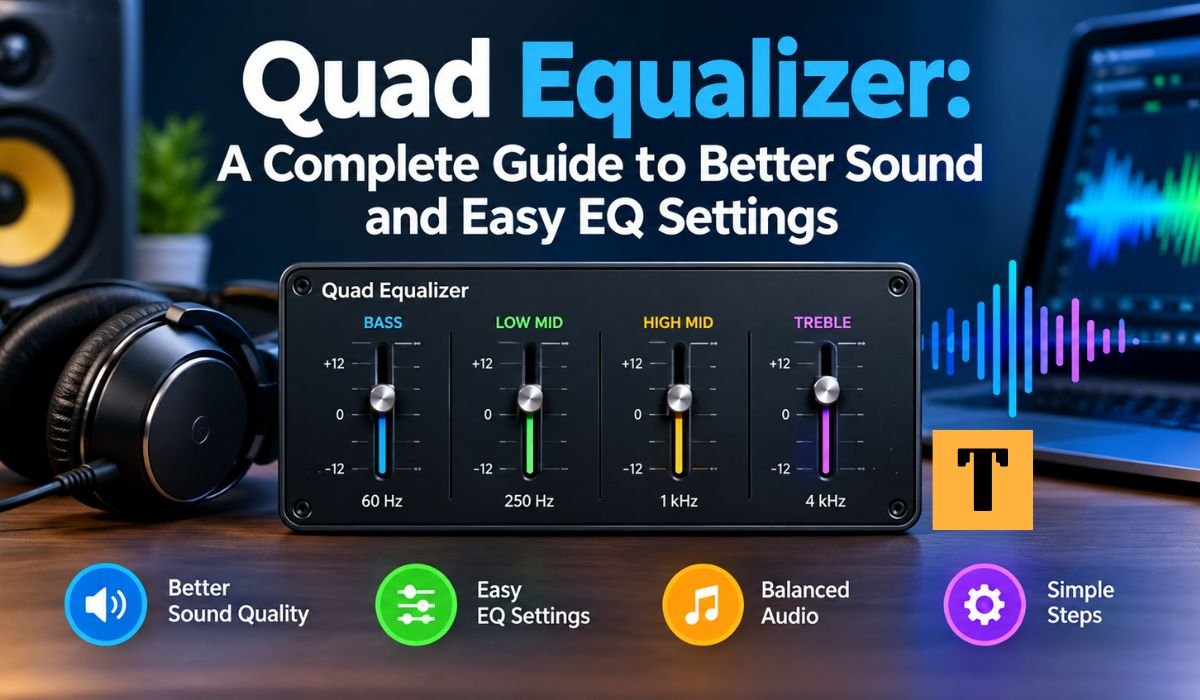
A Quad Equalizer is a practical tool for shaping the sound of music, speech, movies, games, and other audio. Rather than changing the entire signal in the same way, it lets you adjust selected parts of the frequency spectrum. A typical four-band audio EQ gives you broad control over low frequencies, low mids, high mids, and high frequencies.
There’s a small catch with the word “Quad,” though. It doesn’t always mean four frequency bands. Depending on the equipment, it can refer to four EQ bands, four independent audio channels, or even four channels in a non-audio data system. Texas Instruments, for example, uses the term “Quad Equalizer” for a four-channel DisplayPort signal equalizer designed to compensate for transmission losses.
For most people looking up a Quad Equalizer, the audio meaning is the one that matters. Once you understand what the four bands do, adjusting them becomes much less intimidating. This guide covers how a Quad Equalizer works, how its frequency controls affect what you hear, how to approach EQ settings, and which common mistakes are worth avoiding.
Quick Bio Information
| Fact | Information |
|---|---|
| Main Purpose | A Quad Equalizer Adjusts Selected Parts Of An Audio Signal. |
| Common Audio Meaning | A Four-Band Equalizer With Broad Frequency Controls. |
| Another Audio Meaning | An Equalizer With Four Independent Audio Channels. |
| Common Frequency Areas | Low, Low-Mid, High-Mid, And High Frequencies. |
| Gain | Controls The Amount Of Boost Or Cut. |
| Frequency | Selects The Area Being Adjusted. |
| Q | Controls The Width Of A Parametric EQ Adjustment. |
| Higher Q | Creates A Narrower Adjustment. |
| Lower Q | Creates A Wider Adjustment. |
| Flat EQ | Keeps Gain Adjustments At Approximately Zero. |
| Graphic EQ | Normally Uses Fixed Frequency Bands. |
| Parametric EQ | Provides More Control Over Frequency, Gain, And Bandwidth. |
| Bass | Contributes Low-End Weight And Impact. |
| Low-Mid | Contributes Warmth And Body But Can Also Create Mud. |
| High-Mid | Strongly Affects Presence And Intelligibility. |
| Treble | Influences Brightness And High-Frequency Detail. |
| Headroom | The Available Level Before Signal Overload. |
| Bypass | Allows Comparison With The Unprocessed Signal. |
| Channel Linking | Can Keep Related Channels Adjusted Together. |
| Other Technical Meaning | Quad Equalizer Can Also Describe Four-Channel Data Equalization Hardware |
What Is A Quad Equalizer?
A Quad Equalizer is an equalization system that works with four bands or, depending on the equipment, four separate signal channels. In a typical four-band audio EQ, each control affects a different section of the audible frequency range.
The purpose isn’t simply to make your audio louder. Instead, an equalizer changes the balance between frequencies. If a pair of headphones sounds overly bright, for instance, reducing some high-frequency energy may make the presentation more comfortable. If a car stereo sounds boomy, cutting an excessive low or low-mid area can tighten the sound. And when dialogue seems buried beneath music or effects, a careful adjustment in the midrange can give the voice more presence.
The exact frequency points aren’t the same on every EQ. Some four-band models use fixed or semi-fixed bands, while parametric designs give you greater control over the center frequency, gain, and bandwidth. Yamaha’s documentation, for example, describes Frequency, Gain, and Q as important controls in a Parametric EQ.
So, before applying any preset or copying someone else’s settings, check what your particular Quad Equalizer actually controls. Two products can both have four bands and still behave quite differently.
How Does A Quad Equalizer Work?
An Equalizer changes the relative level of selected frequencies. You can either boost an area, making it more prominent, or cut it, reducing its contribution to the overall signal. Graphic EQ systems generally work with predetermined frequency bands, while Parametric EQ provides more detailed control over the frequency being changed, the amount of adjustment, and the bandwidth affected.
Three terms are especially useful to understand: Frequency, Gain, and Q.
Frequency tells you where the adjustment is centered. Gain determines how much that area is boosted or reduced. Q describes how wide the adjustment is around the selected frequency. A higher Q creates a narrower change, while a lower Q affects a wider range.
That difference can be surprisingly important. If you’re dealing with a narrow resonance, a focused adjustment may solve the problem without changing nearby frequencies very much. If the entire sound feels too warm or too bright, a broader adjustment may make more sense.
You don’t need to be an audio engineer to use these controls effectively. What matters most is understanding what you’re hearing and making changes gradually.
Boosting Vs. Cutting Frequencies
Boosting raises the level of a selected frequency area, while cutting lowers it. Both techniques are useful, but there’s a natural tendency among beginners to reach for the boost control first.
Consider a vocal that sounds buried beneath a thick, heavy low end. One option is to boost the upper mids so the voice becomes more noticeable. The downside is that too much of that boost can make the vocal sound aggressive. A small cut in the low-mid area may create a similar improvement while keeping the overall sound more natural.
This is why experienced EQ work is often surprisingly subtle. Yamaha’s guidance recommends making adjustments gradually and using bypass or A/B comparisons to check whether a change has genuinely improved the sound.
Cuts can also help preserve headroom. Every substantial boost adds energy to the signal, and several large boosts can make clipping more likely in a digital signal path.
Understanding The Four Bands Of A Quad Equalizer
A typical Four-Band Equalizer divides the audio spectrum into four broad areas. The exact crossover points vary from one product to another, so the names are better understood as practical descriptions than as universal technical boundaries.
Low Frequencies are where much of the bass weight, deep energy, kick-drum impact, bass instruments, and rumble live. Too much energy here can make a system sound boomy, while smaller speakers may struggle to reproduce very deep material cleanly.
Low-Mid Frequencies provide warmth and body. Voices, guitars, piano, and many other instruments rely on this part of the spectrum. When there’s too much energy here, the result can become boxy, congested, or muddy.
High-Mid Frequencies contribute strongly to presence, intelligibility, and attack. This area can help vocals stand out and can affect how clearly certain game sounds are heard. Push it too far, however, and audio can become aggressive or tiring.
High Frequencies cover much of the brightness, cymbal detail, air, hiss, and sibilance we hear. A modest adjustment can add openness to a dull system, while too much treble can make headphones or speakers sound sharp and brittle.
The four controls shouldn’t be viewed in isolation. Changing one part of the spectrum can alter how another part is perceived, which is another reason to make adjustments carefully.
What Do Bass, Low-Mid, High-Mid, And Treble Do?
One of the most useful EQ skills is learning how to describe a sound problem in ordinary language.
If audio sounds boomy, excessive low-frequency energy could be involved. If it sounds muddy or congested, the low mids may be masking other details. When speech feels distant, the presence region may deserve attention. And if music sounds harsh or brittle, excessive upper-frequency energy could be part of the problem.
There isn’t a universal frequency number behind each description. The same pair of words—“muddy,” for example—can point to different frequencies on different headphones or speakers. Room acoustics, recording quality, microphone placement, and playback equipment all influence the result.
That’s why a Quad Equalizer works best as a listening tool rather than a collection of fixed correction numbers. Identify what you’re hearing first, then make the smallest adjustment that addresses it.
Quad Equalizer Vs. Graphic And Parametric EQ
A Quad Equalizer isn’t automatically a Graphic Equalizer or a Parametric Equalizer. The word “Quad” generally describes the number of bands or channels, while “Graphic” and “Parametric” describe how the equalizer operates.
A four-band Graphic-style EQ typically gives you broad, predetermined frequency areas. It’s quick to understand and convenient for everyday adjustments, but it doesn’t offer the same precision as a fully Parametric EQ.
A four-band Parametric EQ can allow you to choose the center Frequency, Gain, and Q for each band. That extra flexibility makes it possible to target a relatively narrow resonance or shape a wider section of the spectrum more deliberately. Yamaha’s guidance notes that adjustable Q is useful when deciding how broadly or narrowly an EQ adjustment should affect surrounding frequencies.
A Four-Channel Equalizer is something else again. Instead of four frequency bands affecting one signal, it may provide EQ for four independent audio channels.
In short, “four-band” and “four-channel” shouldn’t be treated as interchangeable terms. The product’s interface and specifications tell you which type you’re dealing with.
What Can You Use A Quad Equalizer For?
A Quad Equalizer can be useful whenever the tonal balance of an audio system doesn’t quite suit the content or listener. Music is an obvious application, but EQ also has a place in spoken-word audio, gaming, conferencing, live sound, and general system adjustment.
With music, you might use EQ to tighten excessive bass, bring out vocal presence, or soften an overly bright presentation. For speech, the goal is often better intelligibility rather than a dramatic tonal change. In gaming, EQ can help shape the balance between powerful effects and smaller audio cues.
Shure’s audio guidance also points to EQ as a tool for improving naturalness and intelligibility. At the same time, it makes an important distinction: EQ can’t simply fix problems caused by excessive reverberation, reflections, poor microphone placement, or high background noise.
That distinction is worth remembering. EQ shapes the signal you already have. It doesn’t replace good recording technique, speaker placement, or room treatment.
Quad Equalizer Settings For Music
There isn’t one Best Quad Equalizer Setting For Music. The ideal balance depends on your headphones or speakers, the room you’re listening in, the recording itself, and your personal preference.
Starting with a flat EQ, where the bands sit around zero, gives you a useful reference. Play music you’re familiar with rather than a track you’ve never heard before. If the bass overwhelms the vocals, try a small reduction in the low end. If the sound feels dull, a modest high-frequency adjustment may help. If vocals lack presence, a carefully controlled high-mid change could make them easier to follow.
Try not to chase a dramatic EQ curve. A display full of large boosts and cuts may look impressive, but that doesn’t mean it sounds better. Small changes are usually easier to evaluate, and Yamaha’s EQ guidance recommends gradual adjustments and comparisons with the original signal.
The right setting is ultimately the one that improves the balance while allowing the recording to retain its natural character.
Quad Equalizer Settings For Voice And Dialogue
Speech relies heavily on the midrange, which is why voice EQ is usually about improving clarity rather than simply adding bass or treble.
Too much low-frequency energy can make a voice sound thick, heavy, or muffled. A controlled adjustment higher in the spectrum can sometimes increase presence and make words easier to follow. Push the upper mids or treble too far, though, and the voice may become harsh or overly sibilant.
It’s also important to understand what EQ can’t do for dialogue. If the recording contains traffic, keyboard noise, strong room reflections, several competing speakers, or significant echo, changing the frequency balance won’t necessarily solve the underlying problem.
Shure specifically notes that problems such as reverberation, reflections, poor microphone placement, and high background noise aren’t simply corrected through EQ.
So, use EQ to shape the voice, but deal with physical and recording problems at their source whenever possible.
Quad Equalizer Settings For Gaming
Gaming audio has its own balancing act. A typical soundtrack can contain explosions, music, dialogue, environmental sounds, movement cues, and other details across a wide range of frequencies.
A strong bass boost can make explosions and cinematic effects feel more powerful, but that same boost may make smaller sounds harder to distinguish. For competitive gaming, a cleaner low end with controlled presence can sometimes be more useful than a heavily boosted bass profile.
That doesn’t mean every gamer should use the same setting. Casual players may prefer a fuller, more cinematic presentation, while competitive players may prioritize clarity and separation.
It’s also important not to confuse EQ with positional audio. A Quad Equalizer changes tonal balance; it doesn’t create directional information on its own. Positional performance also depends on the game’s audio engine, playback hardware, spatial processing, and the mix itself.
Quad Equalizer Settings For Cars And Small Speakers
Car audio is particularly interesting because you’re listening inside a relatively small and reflective environment. Speaker placement and the cabin itself can make certain frequencies more noticeable, especially in the bass.
Small speakers have another limitation: they may not reproduce very deep bass with the authority of larger systems. Turning the bass control higher can’t magically make a small driver reproduce frequencies it isn’t designed to handle effectively.
If your car audio sounds boomy, reducing an excessive low or low-mid region may actually make the bass feel cleaner and more defined. Removing a dominant frequency can give the rest of the mix more room to breathe.
The same idea applies to compact desktop speakers and other small playback systems. More bass isn’t necessarily better bass.
How To Tune A Quad Equalizer Step By Step
The simplest way to approach a Quad Equalizer is to begin with a flat setting. If possible, temporarily turn off other processing such as bass enhancement, loudness effects, or virtual surround. That gives you a cleaner reference and makes it easier to hear what the EQ itself is doing.
Use familiar music or spoken audio and listen for one problem at a time. Instead of thinking, “I need more treble,” try to describe the actual sound. Is it dull, harsh, muddy, thin, boomy, muffled, or distant?
Once you’ve identified the issue, adjust the most relevant band slightly. Don’t move all four controls at once. If you do, you’ll have no reliable way to tell which adjustment helped.
After each change, listen again. Yamaha recommends gradual EQ changes and A/B or bypass comparisons so you can judge whether the adjustment really improved the sound.
Keep the comparison volume similar, too. A louder signal can seem more exciting even when the tonal balance hasn’t improved. Matching the levels makes the comparison much more meaningful.
Practical Quad Equalizer Starting Settings
There isn’t a single set of numbers that will work on every Quad Equalizer. Even two products with four bands may use different frequency points. Still, conservative adjustments can be useful as a starting framework.
For Clear Dialogue, a small reduction in excessive low energy combined with a modest presence adjustment may help speech stand out. For Competitive Gaming, controlling excessive bass while retaining useful midrange detail can help prevent powerful effects from overwhelming smaller cues.
For Warm Music, a gentle low-end increase may add body when the playback system sounds thin. For Bright Headphones, a modest reduction in the upper range may make long listening sessions more comfortable.
These aren’t universal recipes. Treat them as starting ideas and judge the result with your own equipment and familiar content. A setting that sounds balanced on one system can sound noticeably different on another.
The most useful rule is simple: make the smallest adjustment that clearly solves the problem.
How To Prevent Clipping And Distortion
Headroom is the amount of level available before a signal reaches its maximum usable level. EQ boosts consume some of that available room.
If you raise several frequency bands significantly, the combined signal can become too strong and may clip in a digital signal path. When an EQ application provides a Preamp or Output Trim control, lowering it can provide additional room for boosted frequencies.
Speaker limitations are a separate issue. A digital signal may remain below clipping while a speaker or amplifier is still being pushed too hard, particularly when substantial bass is boosted at high volume.
For that reason, aggressive EQ isn’t a substitute for an appropriately sized playback system. Keep an eye on output levels, avoid extreme boosts, and lower the overall level when necessary.
Features To Look For In A Quad Equalizer
Useful Quad Equalizer software or hardware may provide Frequency, Gain, Q, Bypass, Presets, Output Trim, and device-specific profiles.
Frequency determines where an adjustment is centered. Gain controls the amount of boost or cut. Q determines how broad or narrow a Parametric adjustment is. Yamaha and Shure documentation both describe these controls as important parts of Parametric EQ.
A Bypass function is particularly useful because it allows a quick comparison with the unprocessed signal. Device-specific profiles are helpful as well, since headphones, desktop speakers, soundbars, and car audio systems rarely have identical frequency characteristics.
Channel Linking can be valuable in multi-channel systems when related channels need matching adjustments. Real-time Spectrum Analysis can also provide a useful visual reference by showing frequency energy while audio is playing.
Still, a spectrum display shouldn’t become a substitute for listening. A graph can show where energy exists, but it doesn’t tell you whether a particular sound is pleasing, distracting, natural, or fatiguing.
Quad Equalizer Presets And Device Profiles
Presets can be a convenient starting point, especially when you’re new to EQ. A Voice profile might emphasize clarity, while a Music profile could aim for a broader tonal balance.
The problem begins when a preset is treated as a universal solution. A profile created for one pair of headphones can sound very different on another. The same applies to speakers, soundbars, and car audio.
A better approach is to use presets as a foundation and then listen critically. If the sound is still too bright, muddy, thin, or bass-heavy, make a small adjustment rather than assuming the preset must be perfect.
Saving separate profiles for headphones, speakers, gaming, movies, and speech can make everyday use much easier. It also prevents a correction designed for one device from being accidentally applied to another.
What A Quad Equalizer Cannot Fix
A Quad Equalizer can reshape the audio signal, but it has clear limits. It can’t restore information that was never recorded, repair a physically damaged speaker, or turn a small driver into a genuine subwoofer.
It also can’t solve every noise or acoustic problem. Shure explains that EQ can’t, by itself, correct issues caused by reverberation, reflections, poor microphone placement, excessive background noise, or unsuitable physical system design.
That’s why EQ works best as one part of a larger audio setup.
Speaker placement, room treatment, microphone position, headphone fit, source quality, and appropriate listening levels can all have a major impact on the final result. If the underlying setup is poor, increasingly aggressive EQ may only hide one problem while creating another.
The same principle applies to spatial audio. EQ can alter frequency balance, but it doesn’t independently create surround positioning or accurate three-dimensional sound.
Common Quad Equalizer Mistakes To Avoid
One of the easiest mistakes is assuming that a good EQ curve needs to look dramatic. It doesn’t. In many situations, subtle changes are all that’s required.
Another common problem is boosting every band. Raising everything can increase overall level without actually correcting the tonal balance. Excessive bass boosts can also consume headroom and place additional demands on the playback system.
Copying a preset without checking its frequency points is another trap. Two four-band equalizers can use different center frequencies, meaning the same numerical settings may produce different results.
It’s also worth watching out for stacked processing. A phone, operating system, music application, headphone software, and speaker can each apply their own EQ or sound enhancement. When several profiles are active at once, troubleshooting becomes much harder.
And finally, don’t judge an EQ solely by how impressive it sounds for the first few seconds. Give your ears time to adjust and return to familiar material before deciding whether a change is genuinely useful.
When Should You Use A Four-Band EQ Instead Of A More Detailed EQ?
A Four-Band EQ is a good choice when you want broad, straightforward control without dealing with dozens of sliders. It can be more approachable for beginners and is often enough for common problems such as excessive bass, muddy mids, weak presence, or harsh treble.
A more detailed Graphic or Parametric EQ becomes useful when you need greater precision. A narrow resonance, for example, can be difficult to correct with only four broad controls. A Parametric EQ with adjustable Frequency and Q can target that problem much more precisely.
More controls don’t automatically mean better sound, though. They simply give you more options. If a four-band EQ solves the problem with a small adjustment, there’s little reason to make the process more complicated.
Final Thoughts
A Quad Equalizer becomes much easier to use once you stop thinking of it as a complicated collection of sliders and start treating it as a problem-solving tool.
Start flat. Listen to material you know well. Identify one problem, adjust the relevant band gradually, and compare the result at a similar volume. If the change doesn’t clearly improve the sound, there’s nothing wrong with backing it off or returning to the original setting.
Understanding Frequency, Gain, Q, Bass, Low-Mid, High-Mid, and Treble gives you a solid foundation without requiring advanced audio engineering knowledge.
The most effective EQ is rarely the most dramatic one. A small adjustment that removes muddiness, controls harshness, or improves speech clarity can be much more useful than a large boost across the spectrum.
Whether you’re adjusting headphones, desktop speakers, a car stereo, a gaming setup, or a voice system, the same basic approach works: listen first, change less, compare carefully, and let the equipment and content guide your settings.
FAQs About Quad Equalizer
What Is A Quad Equalizer Used For?
A Quad Equalizer is used to change the balance of selected frequency ranges or, in some equipment, to equalize four independent channels. In everyday audio, it can help control bass, improve perceived clarity, reduce muddiness, and soften excessive brightness.
Does “Quad” Mean Four Bands Or Four Channels?
It can mean either. A Four-Band Equalizer has four frequency adjustment areas, while a Four-Channel Equalizer processes four separate signal paths. The product’s controls and specifications will tell you which meaning applies.
What Are The Four Bands On A Quad Equalizer?
A typical four-band audio EQ provides broad control over Low, Low-Mid, High-Mid, and High Frequencies. The exact frequency boundaries vary between products, so these should be viewed as general audio regions rather than universal fixed ranges.
What Is The Best Quad Equalizer Setting For Music?
There isn’t one setting that works for every listener, recording, or device. Start with a flat EQ, listen to familiar material, identify one problem, and make a small adjustment to the relevant band. The best setting is the one that improves the balance without making the recording sound unnatural.
Can A Quad Equalizer Improve Voice Clarity?
Yes. Reducing excessive low-frequency energy and carefully adjusting the presence region can make speech easier to understand. However, EQ can’t fully correct poor microphone placement, strong echo, or heavy background noise.
Can A Quad Equalizer Improve Gaming Audio?
It can change the tonal balance of game audio and may make certain sounds easier to hear. It doesn’t create positional audio, though. Directional performance also depends on the game’s audio system, playback hardware, and spatial processing.
Can EQ Settings Cause Clipping Or Distortion?
Yes. Strong boosts can reduce available headroom and may cause clipping in a digital signal path. Excessive bass at high volume can also place additional demands on speakers and amplifiers.
Should I Use The Same EQ Settings On Every Device?
Usually not. Different headphones, speakers, soundbars, cars, rooms, and listening environments can have different frequency characteristics. Device-specific profiles are often more practical than relying on one universal preset.
Learn more and explore exciting content on: Andre Rock: Inside His Life, Family, Career, and Connection to Chris Rock













Leave a Reply