
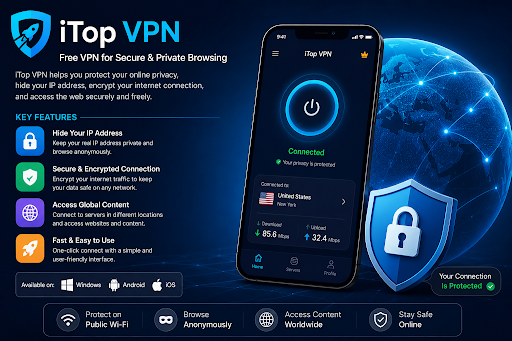
Internet access has become part of almost everything we do, from checking emails and watching online videos to shopping and managing personal accounts. However, connecting to different networks can raise questions about privacy and data security. A Virtual Private Network (VPN) can provide an additional layer of protection by encrypting internet traffic and routing it through a remote server.
For users exploring affordable privacy solutions, iTop VPN offers a combination of basic VPN functionality and additional security features. Its free version also provides an opportunity to try the service without immediately purchasing a subscription.
Getting Familiar With iTop VPN
iTop VPN is a VPN application developed for people who want a more convenient way to manage their internet connections. It supports multiple platforms, including Windows, macOS, Android, and iOS.
The application allows users to connect through available VPN servers rather than sending internet traffic directly through their regular connection. Once connected, websites generally see the VPN server’s public IP address instead of the original public IP address associated with the user’s network.
One useful aspect of iTop VPN is its straightforward interface. Users can open the application, select an available server, and establish a connection without manually configuring complicated network settings.
The software also provides connection options and privacy-related features, with availability depending on the operating system and subscription plan.
Why Consider a VPN Free Service?
Not everyone needs a premium VPN subscription for everyday internet activities. Some users simply want to explore VPN technology, protect their connection while travelling, or understand how different server locations work.
A VPN free service can provide a starting point without requiring an immediate financial commitment. It allows beginners to become familiar with server selection, IP address masking, and encrypted connections before deciding whether advanced features are necessary.
iTop VPN offers a free option with access to selected servers. Its official website also advertises no-registration access for supported devices. Free traffic allowances differ by platform: Windows and Mac have daily limits, while Android and iOS advertise unlimited free traffic without login.
These differences are important when choosing the appropriate version. Users should check the current free-plan conditions before downloading the application.
Features That Make iTop VPN Worth Exploring
One of the main functions is IP address masking. Connecting through a VPN server changes the public IP address visible to websites, which can help separate browsing activity from the user’s regular network address.
Encryption is another important feature. It helps protect traffic travelling between the device and the VPN server, particularly when using unfamiliar internet connections.
Windows users can also explore additional security options:
- Kill Switch: Helps prevent internet traffic from continuing through the regular connection if the VPN connection unexpectedly drops.
- DNS Protection: Provides options for protecting or changing DNS settings while using the application.
- Server Selection: Allows users to choose from available free server locations.
- Connection Management: Provides different connection settings and protocols depending on the application version.
The availability of individual features can vary between free and VIP editions.
Using iTop VPN on Public Wi-Fi
Public wireless networks are convenient, but users do not always know how securely they are configured. Connections in cafés, hotels, airports, and shared offices may expose devices to additional network-related risks.
Using iTop VPN can add encryption to the connection between your device and the selected VPN server. This may provide an additional privacy layer when accessing websites or checking online services through shared networks.
However, a VPN does not automatically prevent phishing, malware infections, or account theft. I would still recommend using HTTPS websites, strong passwords, and two-factor authentication when handling sensitive information.
Free vs. VIP: Which Version Should You Choose?
The free edition can be suitable for occasional browsing and learning how VPN connections operate. It provides selected server access without requiring users to purchase a subscription.
VIP is intended for people who need broader access to VPN servers and additional features. It may be more appropriate for frequent VPN usage, depending on individual requirements.
Before upgrading, compare the available server locations, supported features, subscription duration, and renewal conditions. There is no reason to pay for advanced options that you will rarely use.
Final Thoughts
iTop VPN provides an accessible way to explore VPN technology through its applications for different operating systems. Its free version gives users an opportunity to try basic connection features, while VIP plans offer additional capabilities for people with more demanding requirements.
For someone looking for a VPN free option, iTop VPN is worth exploring, especially when comparing its platform-specific features and usage limits. Reviewing the latest privacy policy and subscription details before installation can also help users make a more informed decision.
Ultimately, a VPN works best as one part of a broader online security routine. Combined with responsible browsing habits and account protection, it can make everyday internet use more privacy-conscious.















Leave a Reply