
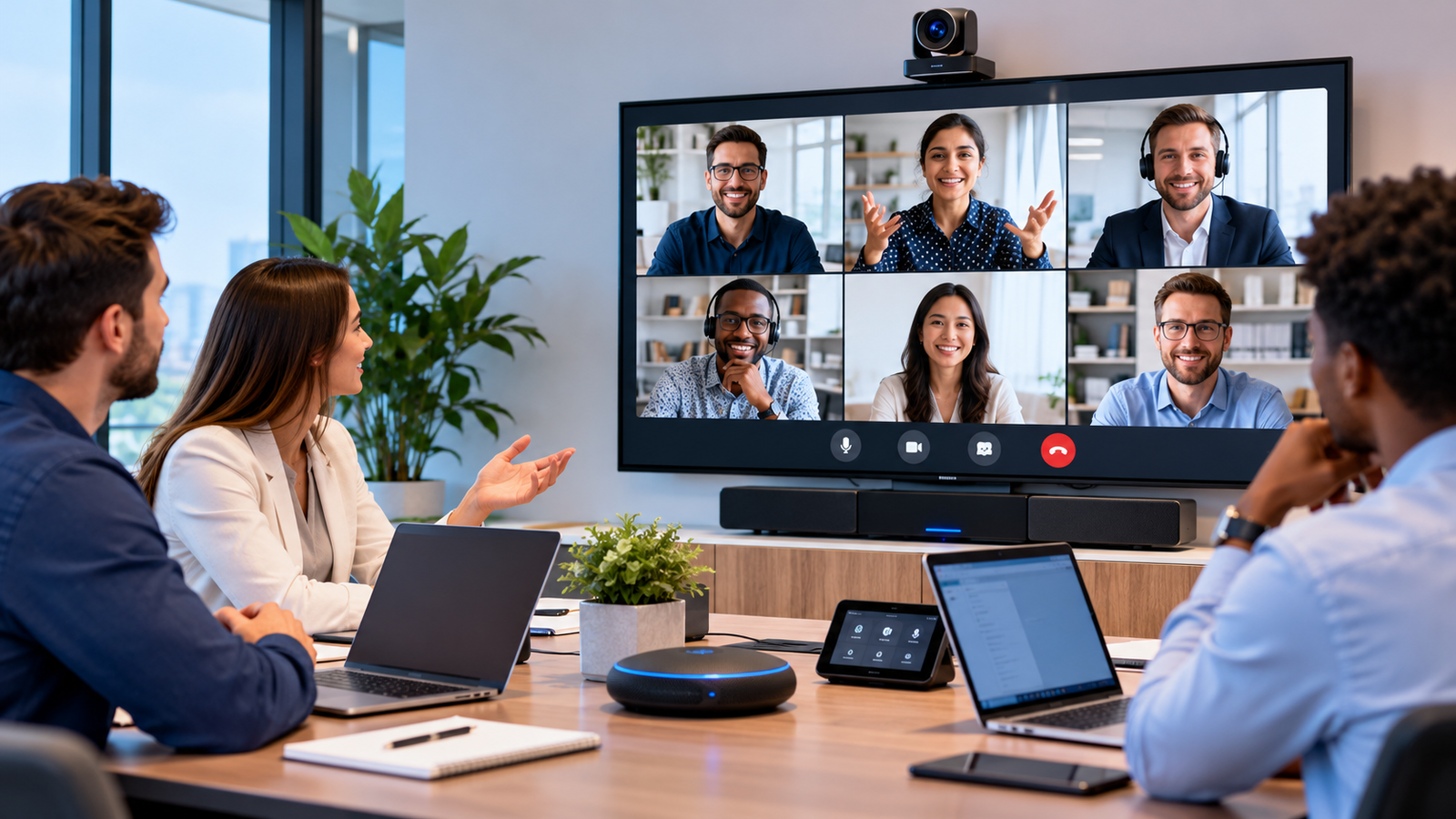
Remote work has become the standard for many teams, and that shift has made quality audio visual equipment more important than ever. When your camera freezes or your audio cuts out mid-sentence, the conversation stalls and so does the trust in the room. Poor setups lead to miscommunication, wasted time, and meetings that drag on longer than they should.
Getting this right starts with understanding what Commercial Audio Visual equipment actually brings to the table, and how to choose the right pieces for your space.
Why Commercial Audio Visual Equipment Matters
Clear audio is non-negotiable. When everyone can hear and understand what’s being said without constant repetition, meetings move faster and decisions get made with confidence. Nobody wants to ask “can you say that again?” three times in a ten-minute call.
Video quality matters just as much. A sharp, well-lit picture builds credibility and keeps participants engaged, while a grainy or pixelated feed makes even the best presentation feel unpolished. Commercial Audio Visual systems are built specifically to handle the demands of professional settings, reducing the technical hiccups that derail meetings and cause unnecessary delays.
Key Components of an Effective Remote Meeting Setup
A dependable remote meeting setup relies on a handful of core pieces working together:
- Microphones and speakers: High-quality audio hardware captures voices clearly, even in larger rooms or with multiple speakers.
- HD or 4K cameras: Sharp video resolution makes a real difference in how professional your team appears on screen.
- Proper lighting: Good lighting brightens faces and reduces shadows, making video feeds look far more polished.
- Reliable internet connectivity: Even the best Commercial Audio Visual infrastructure won’t help much if your connection keeps dropping.
- Screen sharing capabilities: Multiple display options make it easier to present documents, slides, or data without awkward pauses.
Each of these pieces plays a role, but they work best as a system rather than standalone purchases.
Choosing the Right Commercial Audio Visual Equipment
Before buying anything, take stock of your meeting room size and how many people typically join calls. A small huddle room has very different needs than a large conference space meant for a dozen participants.
Next, look for equipment that integrates smoothly with the platforms your team already uses, whether that’s Zoom, Microsoft Teams, or another tool. Switching systems constantly creates friction, so compatibility should be a top priority.
It’s also worth thinking ahead. If your team is growing or your remote meeting needs are likely to expand, choose equipment that can scale with you rather than something you’ll outgrow in a year. Finally, budget for professional installation and ongoing support. A well-installed system with reliable support behind it saves time and frustration down the road.
Best Practices for Remote Meeting Success
Even the best equipment won’t perform well without a bit of preparation. Here are a few habits worth building into your routine:
- Test your setup beforehand. Run a quick check on your audio and video before any important meeting, not during it.
- Position cameras and microphones thoughtfully. Placement affects coverage more than people realize, so take the time to get the angles and distances right.
- Prioritize lighting. Natural light or simple desk lamps can make a noticeable difference in how clear and professional your video looks.
- Keep up with maintenance. Regularly updating and servicing your equipment helps you avoid the technical issues that pop up when systems are neglected for too long.
These small steps go a long way toward smoother, more productive meetings.
Bringing It All Together
Upgrading to Commercial Audio Visual equipment does more than fix technical glitches. It transforms the entire remote meeting experience, making conversations feel more natural and collaborative. A quality setup signals professionalism, builds trust with clients and colleagues, and helps your team communicate without the friction of dropped calls or muffled audio.
The investment pays off in ways that go beyond convenience. Teams that communicate clearly tend to collaborate better, make decisions faster, and stay more engaged during remote work. If your current setup has been causing more headaches than it’s worth, now is a good time to reconsider what quality Commercial Audio Visual equipment could do for your meetings.
Read More: Getepic
















Leave a Reply