
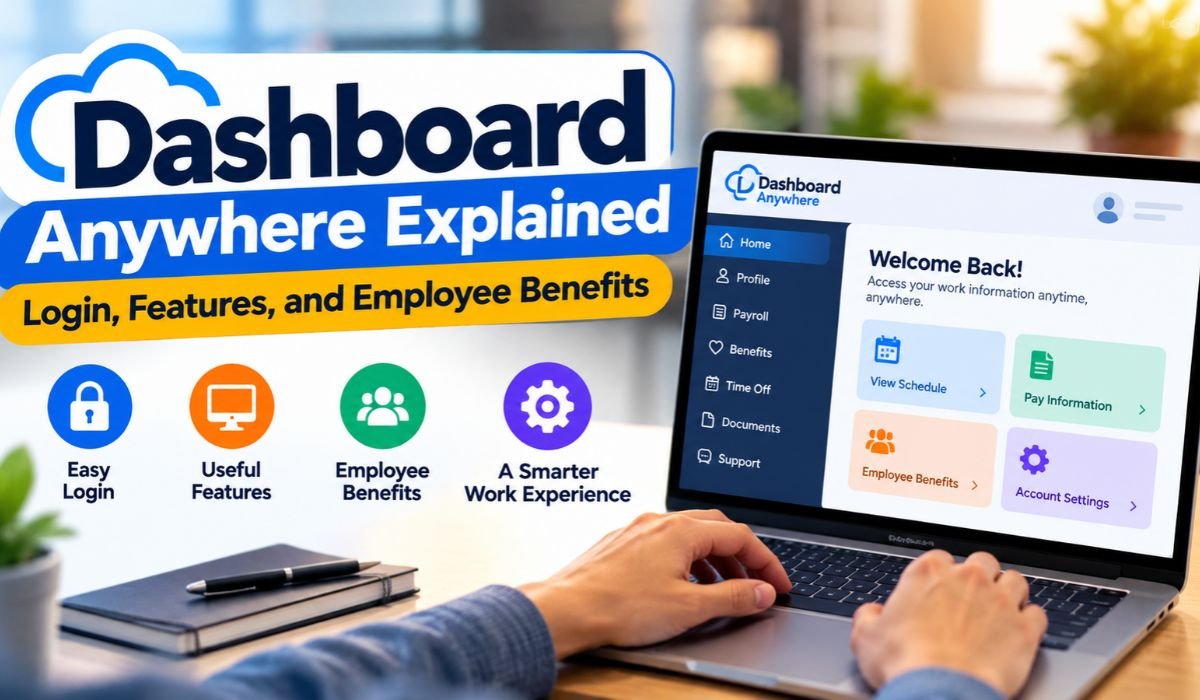
Search for Dashboard Anywhere today and you’ll probably find a mix of old FCA references, employee Login pages, troubleshooting guides, and general descriptions of workplace portals. That can make a fairly simple subject surprisingly confusing, especially for someone who just wants to find a Pay Stub, check Employee Benefits, or understand where to sign in.
Dashboard Anywhere is most closely associated with the employee environment used during the Chrysler and Fiat Chrysler Automobiles era. It was designed to give authorized workers easier access to workplace information and employee resources without making every routine request dependent on an HR office or company workstation.
A lot has changed since then. Fiat Chrysler Automobiles, better known as FCA, merged with Groupe PSA in 2021 to create Stellantis. Corporate changes of that size often bring changes to internal technology as well. Employee portals can be renamed, replaced, divided among different services, or moved behind new authentication systems.
That’s why an old Dashboard Anywhere guide shouldn’t automatically be treated as current Login advice in 2026. To understand the platform properly, it helps to look at what Dashboard Anywhere was, why employees used it, how the FCA-to-Stellantis transition affects today’s searches, and what workers should do when they need Payroll, Benefits, Tax Documents, or account support.
What Is Dashboard Anywhere?
Dashboard Anywhere was associated with Chrysler and FCA’s employee intranet and digital workplace environment. Its purpose was to make company information and employee resources easier for authorized workers to reach, including from outside a traditional workplace setting.
It wasn’t a public Chrysler customer account, vehicle dashboard, or consumer application. Dashboard Anywhere belonged to the employee side of the business, where access depended on company credentials and an individual’s employment permissions.
The basic idea will feel familiar to anyone who has used a modern Employee Self-Service platform. Instead of visiting Human Resources every time they need routine information, workers can use a centralized digital system to reach the resources available to them.
That might include employment information and administrative services related to areas such as Payroll, Benefits, company policies, workplace communications, or HR processes. However, there’s an important accuracy issue here. Features commonly found in today’s HR platforms shouldn’t automatically be presented as confirmed features of the historical Dashboard Anywhere system.
Understanding that difference keeps the discussion useful without turning assumptions into facts.
Quick Bio Information
| Information | Details | Information | Details |
|---|---|---|---|
| Portal Name | Dashboard Anywhere | Historical Association | Chrysler And FCA |
| Portal Category | Employee Intranet | Primary Audience | Authorized Employees |
| Main Purpose | Employee Resources | Industry | Automotive |
| Former Company | Fiat Chrysler Automobiles | Current Corporate Group | Stellantis |
| FCA Merger Partner | Groupe PSA | Stellantis Formation | 2021 |
| Access | Restricted | Public Customer Portal | No |
| Credentials | Employee-Based | Remote Access | Historically Supported |
| HR Resources | Employment-Related Services | Payroll Resources | Dependent On Employee System |
| Benefits Information | Dependent On Eligibility | Current Access | Verify With Employer |
FCA Dashboard Anywhere History
The history of Dashboard Anywhere makes more sense when viewed alongside Chrysler’s changing corporate structure.
Chrysler went through several major ownership and organizational shifts before becoming part of Fiat Chrysler Automobiles. During the FCA period, Dashboard Anywhere appeared within the company’s employee technology environment and was referenced in workplace materials as a resource for employees.
Then came another major transition. FCA and Groupe PSA completed their merger in January 2021, creating Stellantis, the multinational automotive group that brought brands from both companies under one organization.
For employees, corporate mergers aren’t merely changes to a company name. Behind the scenes, organizations often consolidate technology, migrate user accounts, update Security requirements, introduce new applications, and retire older systems.
That context is essential for anyone searching for FCA Dashboard Anywhere Login in 2026. Instructions that worked during the Chrysler or FCA era may not reflect the system an employee is expected to use today.
An old address isn’t necessarily fraudulent simply because it no longer works. It may simply belong to an earlier stage of the company’s technology. Either way, historical instructions should be treated as historical unless a current employer source confirms otherwise.
How Dashboard Anywhere Worked
At its heart, Dashboard Anywhere followed a straightforward Employee Self-Service model.
Rather than asking Human Resources for every routine piece of workplace information, authorized employees could use their credentials to enter the company’s digital environment and reach resources available to their account.
What appeared after Login wasn’t necessarily identical for everyone. Large employers commonly control access according to a worker’s role, location, employment status, department, or other permissions. That means two employees may have different services available even when they’re using the same broader employee system.
For an automotive company with a large and varied workforce, the practical value is easy to understand. Manufacturing workers, engineers, managers, administrative employees, and other staff don’t all work in the same place or follow the same schedule.
A digital employee environment makes it possible to provide important information without assuming that every worker can visit an HR desk during traditional office hours. That same principle has since become standard across many modern workforce platforms.
Dashboard Anywhere Login
For many readers, Dashboard Anywhere Login is the real reason they’ve landed on this page. The most important advice is simple: focus on finding the employer’s current authorized system rather than trying every old Dashboard Anywhere address that appears online.
Search results can contain historical pages, unofficial guides, outdated bookmarks, and websites using familiar corporate names. Seeing “FCA,” “Chrysler,” “Stellantis,” or “Dashboard Anywhere” on a page doesn’t, by itself, prove that the site is authorized to collect employee credentials.
Current employees should start with Login information supplied through trusted workplace channels. That could include onboarding documents, an internal company communication, HR, workplace IT support, or another employer-approved source.
Once the correct service has been identified, the employee can use the credentials and identity-verification process required by that system.
This is particularly important in 2026 because an FCA-era Dashboard Anywhere address may have been replaced, redirected, restricted, or retired. Using current employer instructions avoids unnecessary confusion and reduces the risk of entering sensitive credentials into the wrong website.
Payroll And Tax Information
Payroll is one of the biggest reasons employees value digital self-service.
When Payroll information is available online, workers can review important employment records without waiting for someone in an administrative department to retrieve them manually. Depending on the active system, that information might involve earnings, deductions, payment history, or related documents.
Historical FCA material also indicates that Dashboard Anywhere played a role in certain employee administrative processes. Even so, it’s important not to expand that evidence into claims that every user had access to every Payroll function commonly found in modern HR software.
Employee services can vary considerably. A person’s employment classification, country, workplace, applicable agreements, and the systems being used at a particular point in time can all affect what appears in an employee account.
Anyone looking for a Pay Stub, W-2, Tax Document, or Payroll Record in 2026 should follow the current process provided by their employer. If information appears incorrect or can’t be found, the appropriate Payroll or HR department is a more dependable source than an old portal guide.
Employee Benefits
Benefits are another major part of the search interest surrounding Dashboard Anywhere.
Large employers typically need a practical way to communicate benefit information to thousands of workers. Digital Employee Self-Service systems can make it easier for eligible employees to review information involving healthcare coverage, insurance, retirement programs, leave, and other employer-sponsored benefits.
But Benefits aren’t identical for every employee.
Eligibility and coverage can vary based on location, employment status, plan rules, collective bargaining arrangements, and other conditions. A benefit available to one group of workers shouldn’t automatically be assumed to apply to everyone else.
The same caution applies to older online information. A page describing an FCA employee benefit several years ago doesn’t establish that the program remains unchanged in 2026.
For decisions involving healthcare, retirement, insurance, enrollment, or major life events, employees should rely on their current plan documents and employer-approved Benefits information. Those sources are far more important than a general description of what Dashboard Anywhere may once have offered.
Work Information And Employee Records
The value of an employee portal extends beyond Payroll and Benefits. Everyday workplace information can also become much easier to manage when it’s available through a central digital system.
Depending on the platform, employees may encounter HR forms, employment records, workplace policies, company notices, leave-related services, attendance information, or other internal resources.
This convenience can matter even more in manufacturing environments. Someone working an evening or overnight shift may not have easy access to administrative staff during normal business hours. A reliable Employee Self-Service system gives that worker another way to find basic information when it’s needed.
There is still an important distinction to maintain. Modern HR software offers a huge range of capabilities, but not every feature available today can be attributed to the historical Dashboard Anywhere portal without evidence.
A useful guide should explain what employee technology can accomplish while being equally clear about what has and hasn’t been confirmed about a particular system.
Current Employees, Former Employees, And Retirees
Not everyone searching for Dashboard Anywhere is a current employee. Former FCA and Chrysler workers, as well as retirees, may also be trying to locate employment documents or Benefits information.
Their access can be quite different.
Active employees generally receive internal system access because they need it for their work and ongoing employment. Once someone leaves the organization, access to internal applications may be disabled as part of normal Security procedures.
That doesn’t mean former employees stop needing records. They may still require Tax Documents, old Pay Records, Employment Verification, or information connected with Benefits. Retirees can have separate questions involving retirement or pension-related services.
The important point is that these needs don’t guarantee continued access to the same account used during active employment.
Former employees shouldn’t assume an old Dashboard Anywhere username and password will remain active indefinitely. Instead, they should use the official former-employee, HR, Payroll, Benefits, or retirement process appropriate to the information they’re trying to obtain.
Common Dashboard Anywhere Login Problems
When a Dashboard Anywhere Login doesn’t work, it’s tempting to assume the password is the problem. Sometimes it is, but there are several other possibilities.
An account may have expired or become locked after repeated unsuccessful Login attempts. Employment status may have changed, access permissions may have been updated, or the company may have migrated users to another system entirely.
The problem can also be more ordinary. Stored browser data, cookies, an outdated bookmark, connectivity issues, or trouble completing an authentication step can prevent access.
Before repeatedly resetting a password, confirm that you’re actually trying to use the current employee service. This is particularly important when the address comes from an old bookmark or an unofficial article.
If the portal is correct, use its authorized Password Recovery process. When that doesn’t solve the issue, workplace IT or HR support should be the next step.
Repeatedly entering an employee password into unfamiliar sites isn’t a good troubleshooting method and can create an avoidable Security risk.
Security And Privacy
An employee portal can contain highly sensitive information, which makes Security more than a technical concern.
Depending on the service, an employee account may contain contact details, Payroll records, Benefits information, Tax Documents, or other private employment data. If someone gains unauthorized access, the consequences can extend well beyond losing access to an ordinary online account.
Modern enterprise platforms commonly use measures such as protected sessions, account permissions, secure authentication, and additional identity checks. The exact Security technologies used by a particular employee system, however, should only be described as fact when they’ve been verified.
Employees have responsibilities too. Workplace passwords shouldn’t be reused carelessly across unrelated services, and verification codes should never be handed to someone simply because they claim to work for support.
When possible, sensitive employment records should also be accessed from trusted devices rather than public or shared computers.
Above all, remember that appearance isn’t proof. A convincing company logo, familiar wording, or professional-looking Login screen doesn’t establish that a website is legitimate.
How To Recognize A Suspicious Login Page
The age of the Dashboard Anywhere name creates an additional Security concern. Someone searching for a portal they haven’t used in years may not know what the current Login page is supposed to look like.
That uncertainty can make phishing more effective.
Be cautious if an unfamiliar page unexpectedly requests an employee password, verification code, financial details, or extensive personal information. Requests to install unknown software or provide credentials through an unusual process also deserve scrutiny.
Instead of trying to decide whether a questionable page “looks real,” verify the service through your employer.
Current workers can check with workplace IT, HR, or an approved internal resource. Former employees may need to contact the department responsible for the specific record they’re seeking.
Taking a few minutes to verify the correct service is far safer than exposing employee credentials because an old search result appeared convincing.
Mobile And Remote Access
The ability to reach employee information away from a traditional workstation was an important part of the thinking behind Dashboard Anywhere. Today, that expectation is even stronger.
Workers increasingly use laptops, smartphones, and tablets to handle everyday digital tasks. For manufacturing employees and people working varied shifts, remote access can be especially useful because they may spend little or no time at a conventional office desk.
Modern employee services can approach mobile access in several ways. Some provide responsive browser-based portals, while others rely on dedicated applications or company-managed devices. Sensitive services may also require additional authentication.
That doesn’t mean an old FCA mobile-access method remains valid today.
Device requirements, supported browsers, applications, and corporate Security policies change over time. Employees should follow the instructions provided for the system they’re currently authorized to use.
Benefits For Employees
The appeal of Employee Self-Service isn’t difficult to understand. It gives workers more control over routine employment information.
Instead of contacting HR for every basic question, an employee may be able to review the information already available and seek assistance only when it’s actually needed. That can save time for both sides.
Convenience becomes especially valuable outside traditional office hours. A worker on an evening shift, someone based at another facility, or an employee temporarily away from the workplace may still need access to important information.
Digital systems can also help employees prepare better questions. Reviewing available Payroll information before contacting the Payroll department, for example, can make it easier to identify the exact issue that needs attention.
Still, self-service has limits. A portal can’t replace knowledgeable people in every situation. Complicated Benefits decisions, Payroll disputes, employment concerns, and unusual account problems may require direct help from qualified staff.
The strongest employee experience offers both: convenient digital access for routine needs and reliable human support when the issue becomes more complex.
Benefits For Employers
Employers have their own reasons for investing in centralized workforce technology.
If employees can reliably find commonly requested information themselves, HR and administrative teams don’t have to spend as much time answering repetitive questions. A centralized platform can also make it easier to distribute documents, communicate updates, and provide consistent information across multiple workplaces.
For a large automotive organization, the potential value is significant. Factories, engineering facilities, offices, and other operations may employ people with very different schedules and working environments.
A digital platform can help bridge those differences.
Technology isn’t automatically an improvement, though. A poorly designed portal can simply replace one type of frustration with another. Difficult navigation, inaccurate records, inaccessible design, or unreliable authentication can quickly undermine Employee Self-Service.
For these systems to work well, organizations need accurate information, thoughtful design, appropriate Security, dependable technical performance, and accessible human support.
Dashboard Anywhere And Stellantis
One of the most important points for modern readers is the distinction between Dashboard Anywhere, FCA, and Stellantis.
Dashboard Anywhere is primarily connected with the earlier Chrysler and FCA employee environment. Stellantis came later, following the completed merger of FCA and Groupe PSA in 2021.
That history doesn’t mean every FCA-era employee resource disappeared overnight. Large organizations often transition technology gradually. Nor does it mean every Stellantis employee around the world necessarily uses the same employee platform.
A multinational company can have different systems based on country, business unit, workforce group, role, and the particular service an employee needs.
For that reason, simply describing Dashboard Anywhere as “the Stellantis employee portal” would be too broad without current evidence.
Someone seeking employee access in 2026 should start with the system identified by their employer. The historical connection with FCA is useful context, but it isn’t a substitute for current Login instructions.
Future Of Digital Employee Portals
Dashboard Anywhere also tells a larger story about how workplace technology has developed.
Employee portals were once largely places to retrieve forms and basic information. Increasingly, they’re becoming broader digital workplaces that connect different parts of the employee experience.
HR information, workplace communications, training, Payroll, Benefits, and support can potentially sit within connected systems rather than forcing employees to search across unrelated tools.
Artificial Intelligence may push that evolution further. AI-assisted search could help workers locate a policy or identify the correct service without navigating several menus. Automation may also handle repetitive administrative steps that previously required manual processing.
Those conveniences come with responsibilities.
Employers need to protect personal information, maintain accurate records, explain automated processes clearly, and make sure workers can still reach a real person when technology doesn’t provide an adequate answer.
Ultimately, the best Employee Dashboard isn’t the one with the longest feature list. It’s the one that helps workers find accurate information quickly, securely, and with as little unnecessary friction as possible.
Final Thoughts
Dashboard Anywhere remains a familiar name because it represents an important stage in Chrysler and FCA’s move toward digital Employee Self-Service.
The idea behind it was practical. Authorized workers needed a convenient way to reach workplace information without depending entirely on office-based processes or administrative staff for every routine task.
The corporate environment has since moved on. FCA and Groupe PSA completed their merger in 2021 to create Stellantis, and employee technology has continued to evolve alongside the organization.
That history is why old Dashboard Anywhere Login instructions need to be approached carefully in 2026. A guide written years ago may describe a process that was perfectly legitimate at the time but no longer matches the systems employees use today.
Anyone looking for Payroll Records, Employee Benefits, Tax Documents, Password Recovery, or other workplace services should begin with current employer-approved resources. Former employees and retirees may need different support channels from active workers.
Dashboard Anywhere’s broader lesson, however, hasn’t become outdated. Employee technology is most valuable when it makes important information easier to find without sacrificing accuracy, privacy, Security, or access to knowledgeable human support.
FAQs About Dashboard Anywhere
What Is Dashboard Anywhere?
Dashboard Anywhere was associated with the Chrysler and Fiat Chrysler Automobiles employee environment. It gave authorized workers digital access to workplace information and employee-related resources. Today, the name is primarily relevant in the historical FCA context.
Is Dashboard Anywhere Still Available In 2026?
Employees shouldn’t assume that historical Dashboard Anywhere access methods remain unchanged in 2026. FCA and Groupe PSA formed Stellantis in 2021, and internal employee technology can change as organizations evolve. The current access method should always be confirmed through an employer-approved source.
How Do I Find The Dashboard Anywhere Login?
Start with information provided directly by your employer, Human Resources, workplace IT team, manager, onboarding documents, or another trusted internal source. Don’t enter employee credentials into a website simply because it contains the Dashboard Anywhere, Chrysler, FCA, or Stellantis name.
Can I Get My Pay Stub From Dashboard Anywhere?
Payroll services are commonly offered through Employee Self-Service platforms, but the system used to retrieve a current Pay Stub depends on the employer and the employee’s status. Active employees should follow current Payroll instructions. Former employees may need a separate process to obtain historical records.
Can Former FCA Employees Access Dashboard Anywhere?
Former employees may lose access to internal company applications after their employment ends. Anyone needing Tax Documents, old Pay Records, Employment Verification, or Benefits information should use the official former-employee, Payroll, HR, Benefits, or retirement process relevant to the document they need.
Is Dashboard Anywhere A Stellantis Employee Portal?
Dashboard Anywhere is primarily associated with the earlier Chrysler and FCA employee environment. Stellantis was created through the FCA and Groupe PSA merger in 2021. Current Stellantis Employee Services shouldn’t automatically be assumed to operate under the Dashboard Anywhere name.
Why Is My Dashboard Anywhere Login Not Working?
There are several possible reasons. The Login information may be outdated, credentials may have expired, an account may be locked, employment status may have changed, or employees may have been moved to another system. Browser or authentication problems can also interfere with access. Confirm the current employee service before repeatedly attempting to sign in.
Is Dashboard Anywhere Safe?
Employee information should only be accessed through a verified, company-approved service. Keep passwords and verification codes private, be cautious with unfamiliar Login pages, and contact authorized HR or IT support if you’re uncertain whether a website or access request is legitimate.
Learn more and explore exciting content on: Startup Booted Financial Modeling: A Complete Founder’s Guide













Leave a Reply